

SAM quarterly return: A1 investments
South Africa
Codes three custodians’ holdings with the Prudential Authority’s CIC table, checks them, and totals them into sheet A1 of the SAM quarterly return in R’000.
From Prudential Authority: SAM quarterly solo return, sheet A1 (Investments), and the CIC table
- 31validation rules
- 16pipeline stages
- 64A1 rows
- 3 minto build and check
See it in Quantemplate
The pipeline
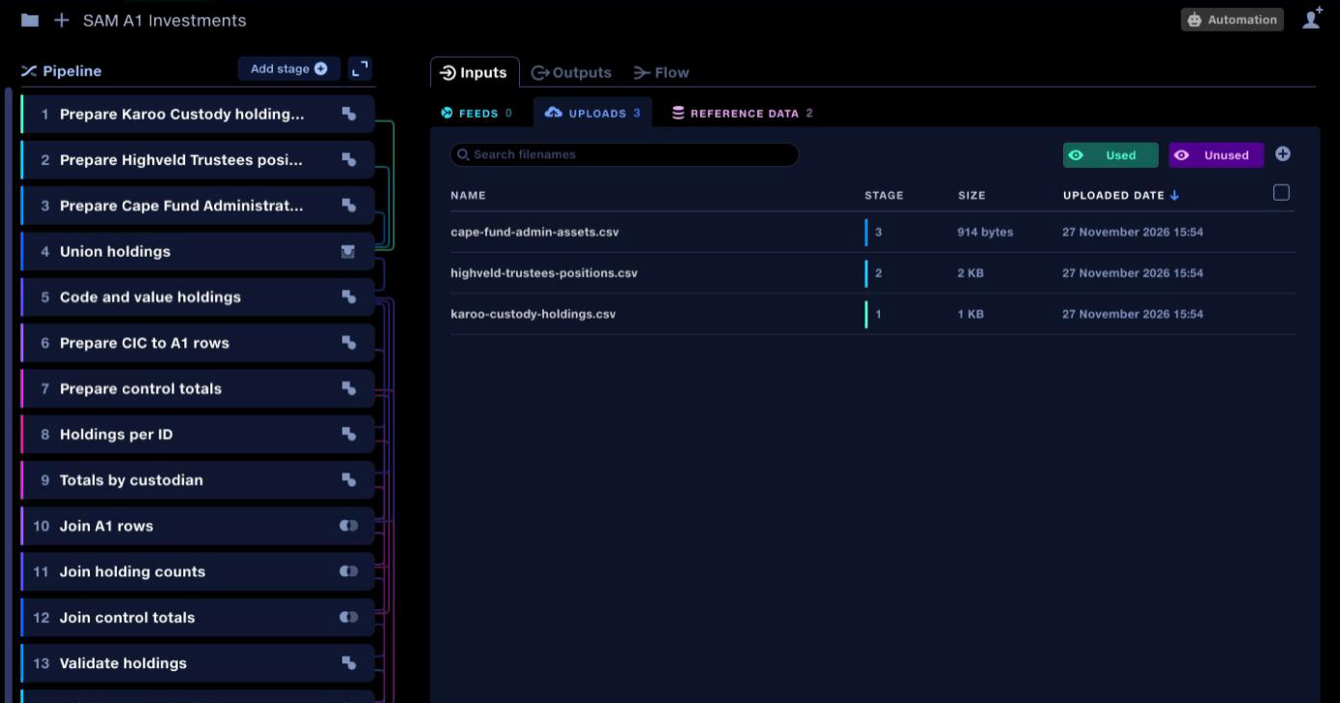
The flow
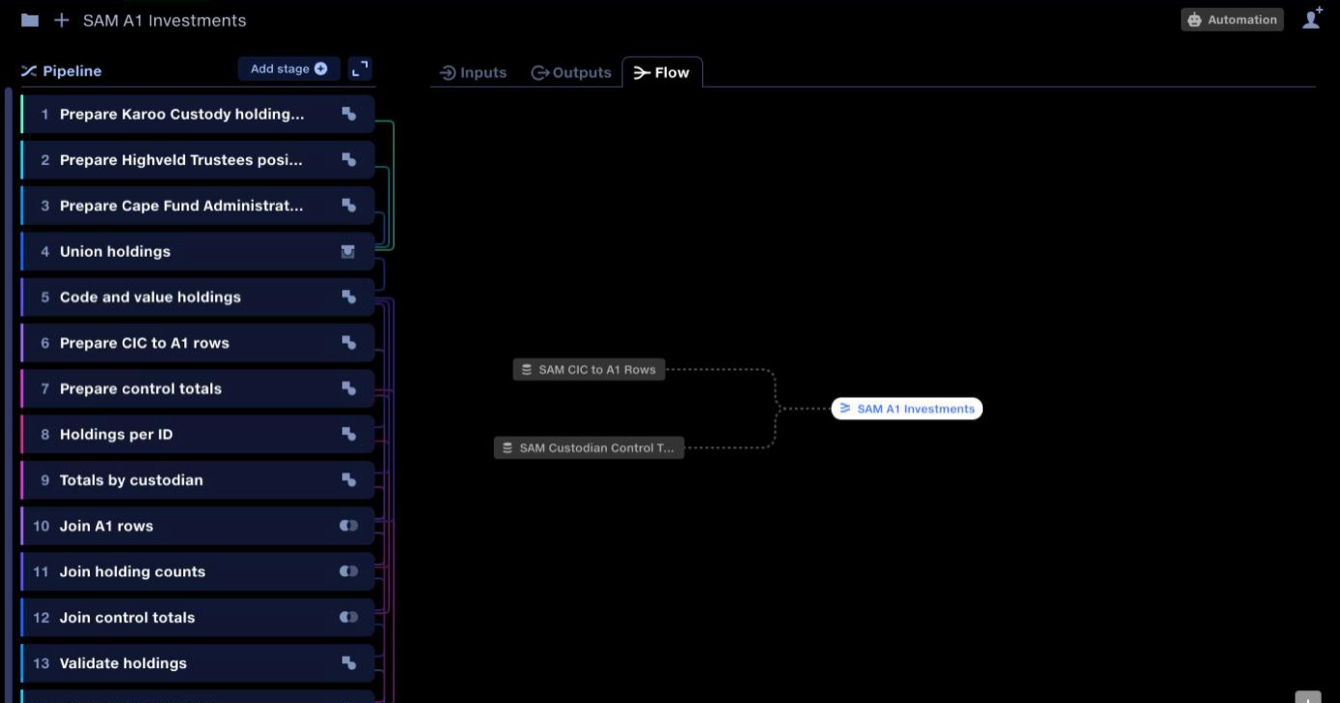
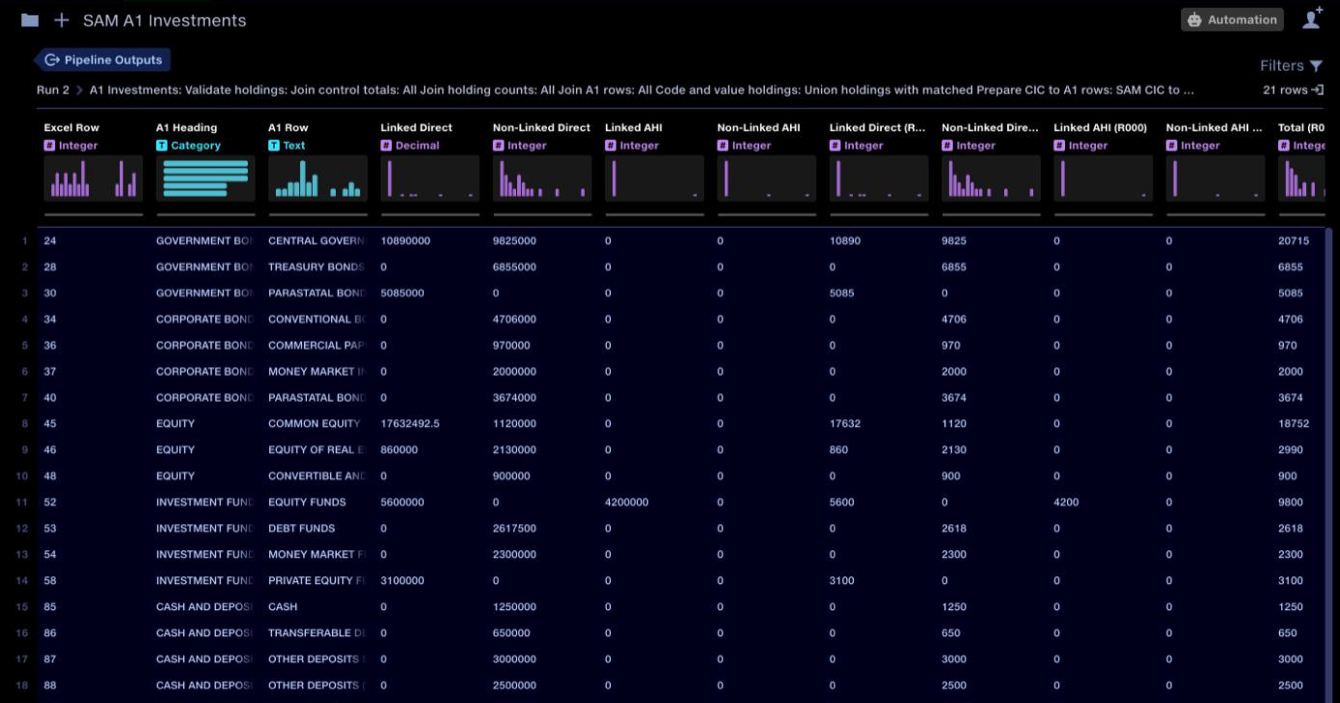
The checked output
What it checks
31 rules 31 Fail
- Mandatory fieldsHolding ID, CIC, value, currency, fund and holding type aren’t blank 8 Fail 8
- CodesCIC codes, fund and holding types, and currencies are valid 8 Fail 8
- DatesQuarter-end valuation, and terms that match each CIC category 8 Fail 8
- ValuesExchange rates, quantity times price, duplicates and guarantees 6 Fail 6
- TotalsEach custodian’s total agrees with its statement 1 Fail 1
A rule set to Fail marks its rows as failed, and any failure blocks Auto Export if you set it up. Validation never removes a row. Every rule is listed in plain English in a1-validations.txt in the download.
How the pipeline works
- Stages 1–3 Intake Turn each custodian’s layout into common columns, working out missing CIC codes
- Stages 4–5 Union and code Stack the holdings, then add each one’s CIC category, rand value and A1 column
- Stages 6–7 Reference data The CIC-to-A1 table and the custodians’ control totals
- Stages 8–9 Totals Holdings per ID and totals by custodian
- Stages 10–13 Joins and Validate Bring the totals onto every holding and run 30 rules
- Stages 14–15 Statement check Compare each custodian’s total with its statement
- Stage 16 A1 Investments One row per A1 line in R’000, ready to copy into sheet A1
What’s in the download
- The 31 rules in plain English, and the definition of every stage and rule
- The CIC-to-A1 table: each CIC category’s row on sheet A1
- Three fictional custodians’ holdings files and control totals, clean and with 30 rows built to fail
- The A1 totals the clean files should produce, and the rows each rule should flag on the broken files
- A Claude skill that builds the pipeline and checks the results
- A snapshot of the finished pipeline and the scripts that build and check it from your browser
The PA’s quarterly template and CIC table aren’t included. Download the current versions from the PA’s insurer returns page.
Build it
- Unzip the download and copy the folder in
skillsinto~/.claude/skills/. The Quantemplate skills help too, if you have them. - With Claude in Chrome signed in to Quantemplate, ask Claude Code:
Build the SAM A1 investments pipeline from the sam-a1-investments folder. Test it with the broken files and the clean files and compare the results with the expected ones.
- Claude creates the two reference datasets, uploads the custodian files, builds the 16 stages and checks both test sets. This takes around 3 minutes.
The agent builds through the Quantemplate app’s own API in your browser. That API isn’t published, so if a release changes it, the build stops and the agent offers to click through the screens instead, which takes much longer. Review what the agent builds before you rely on it.
Using real holdings
- Add each custodian’s file as an input to its own intake stage. A custodian with a different layout needs an intake stage of its own.
- Replace the control totals with your custodians’ statement totals.
- Check the CIC-to-A1 table against the PA’s current template before you copy figures into it.
Contact the Quantemplate support team, or use your AI agent, to build custom logic for your use case.
Limits
- The PA publishes no rule list for sheet A1, so the rules are written from its CIC definitions and the A1 log file. Review them against your own reading of the return.
- It produces A1’s figures, ready to copy into the PA’s template. It doesn’t fill in or submit the template.
- Derivatives (CIC categories A to F) aren’t reported on A1, so they fail rule C03.
- The custodians and their holdings are made up.
- The build doesn’t set up Auto Run, Auto Export or feeds.
- The agent works through the app in your browser, so changes someone makes in the app whilst it’s working can trip it up.