

Lloyd’s v5.2 premium bordereaux
All territories
Checks coverholder premium bordereaux against every territory’s columns in Lloyd’s ‘Template for all’.
From Lloyd’s Coverholder Reporting Standards v5.2: ‘Template for all’ tab
- 106validation rules
- 12pipeline stages
- 225columns
- 5 minto build and check
See it in Quantemplate
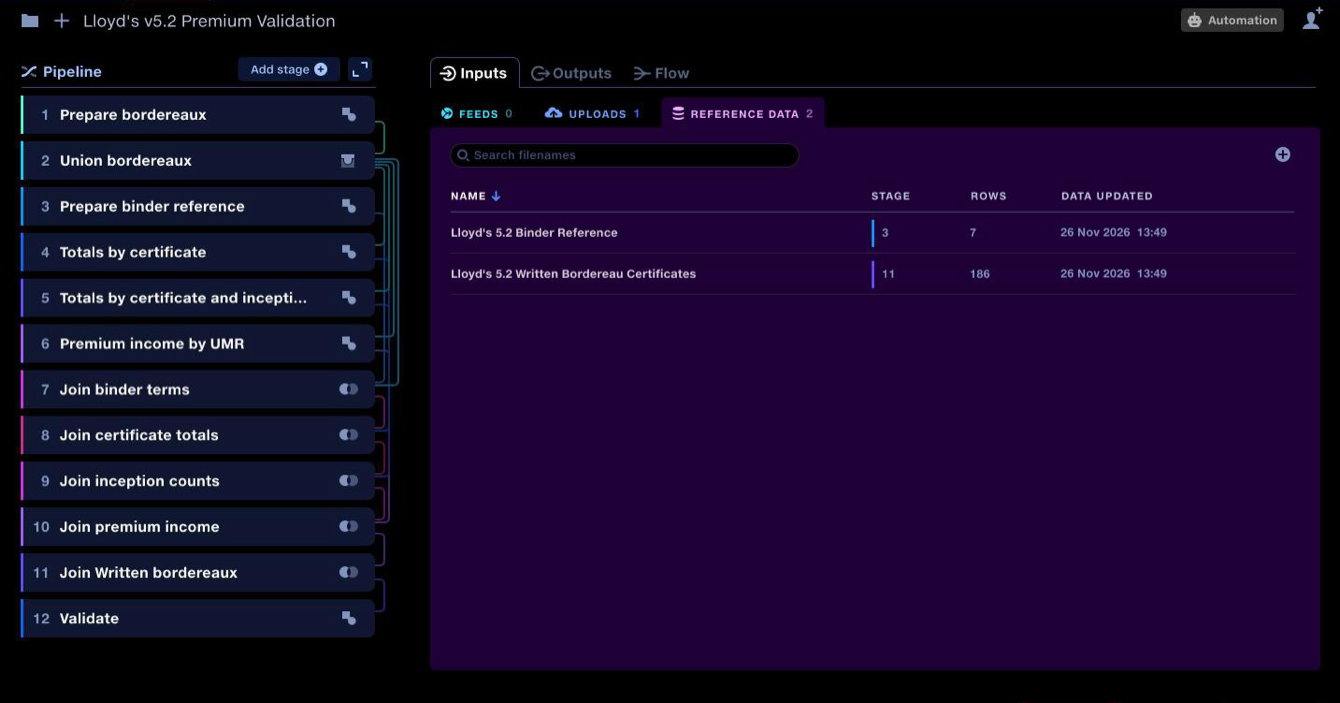
The pipeline
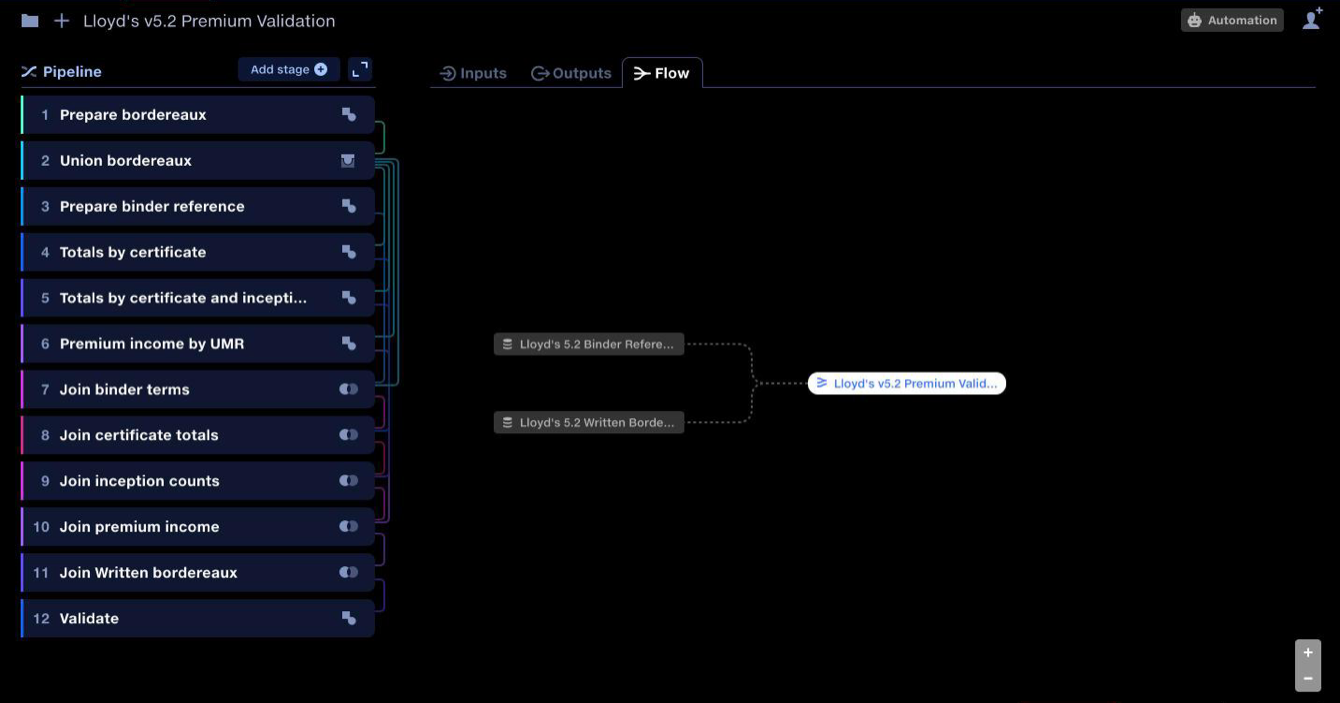
The flow
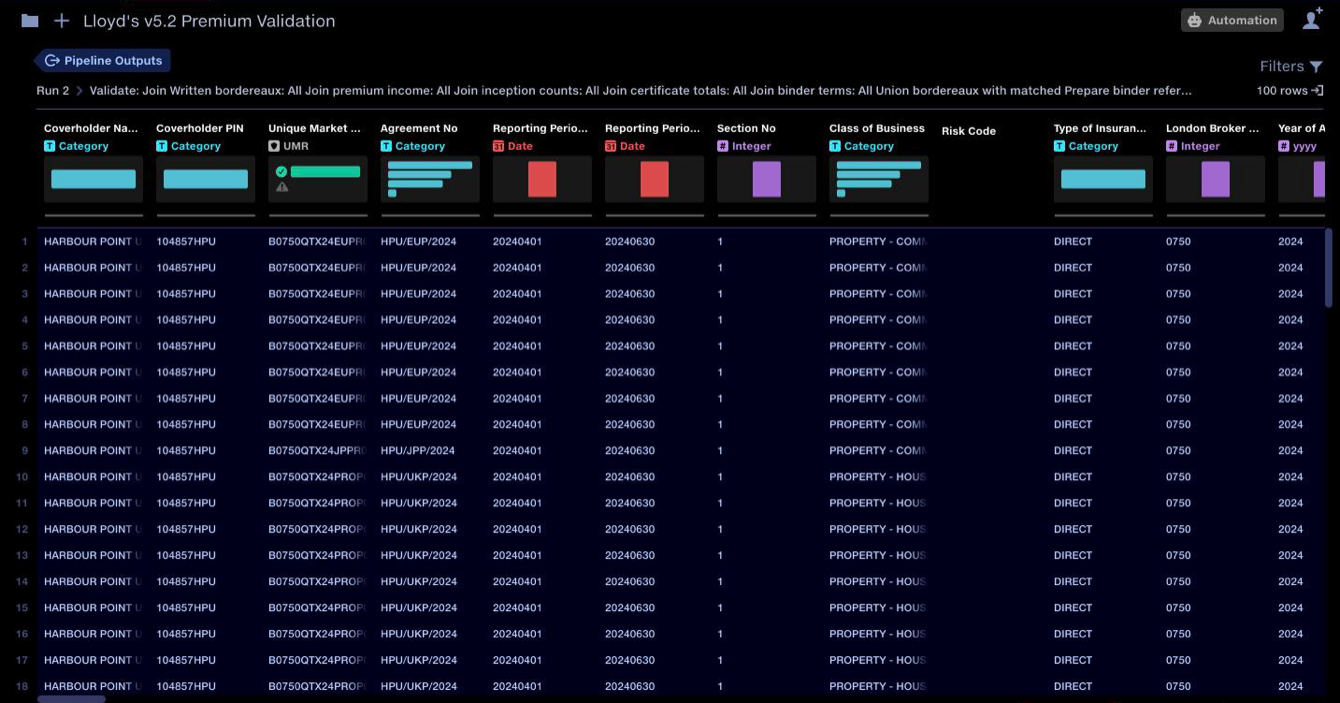
The checked output
What it checks
106 rules 78 Fail 28 Warning
- Mandatory fieldsLloyd’s red fields aren’t blank 20 Fail 20
- Types and formatsCode lists, identifier formats and value ranges 14 Fail, 10 Warning 24
- Within a rowDates, amounts and statuses agree with each other 6 Fail, 1 Warning 7
- Against the binderTerritories, commission, dates and limits fit the binder 12 Fail 12
- Across rowsDuplicates, and returns against original premiums 4 Fail, 2 Warning 6
- Additional checksDates, currencies, signs, taxes and country fields 22 Fail, 15 Warning 37
A rule set to Fail marks its rows as failed, and any failure blocks Auto Export if you set it up. Warnings are only reported. Validation never removes a row. Every rule and its formula is listed in VALIDATIONS.md in the download.
How the pipeline works
- Stage 1 Prepare Tidy the bordereaux: headers, column names, text and dates
- Stage 2 Union Stack the bordereaux into one dataset
- Stage 3 Binder terms Clean each binding authority’s terms
- Stages 4–6 Totals Add up premium by policy, inception date and binder
- Stages 7–11 Joins Bring binder terms, totals and written certificates onto every row
- Stage 12 Validate Run the 106 rules
What’s in the download
- The 106 rules as JSON, and a table of every rule with its formula and notes
- Master schema data, binder terms, written bordereau certificates and test bordereaux
- The number of rows each rule should flag on the test bordereaux
- The build skill, plus the Quantemplate skills
- A snapshot of the finished pipeline and the scripts that build it from your browser
- Lloyd’s template the rules are generated from (© Lloyd’s)
Build it
- Unzip the download and copy the three folders in
skillsinto~/.claude/skills/. - With Claude in Chrome signed in to Quantemplate, ask Claude Code:
Build the Lloyd’s v5.2 premium pipeline from the lloyds-v52-pipeline folder.
- Claude creates the datasets and stages, runs the test data and checks every rule’s result. This takes around 5 minutes.
The agent builds through the Quantemplate app’s own API in your browser. That API isn’t published, so if a release changes it, the build stops and the agent offers to click through the screens instead, which takes much longer. Review what the agent builds before you rely on it.
Using real bordereaux
- Replace the binder terms and written bordereau certificates with your own, keeping the column names.
- Add your bordereaux as inputs to stage 1. Monthly files are stacked; an inception-to-date file replaces the one before.
- Adapt the mapping of transaction codes, such as OP to ORIGINAL PREMIUM, for each coverholder.
Contact the Quantemplate support team, or use your AI agent, to build custom logic for your use case.
Limits
- Column types are set by the build, not detected from your data. Choosing the master schema again makes Quantemplate detect them, which may change some types.
- The build doesn’t set up Auto Run, Auto Export or feeds.
- The agent works through the app in your browser, so changes someone makes in the app whilst it’s working can trip it up.