

Binder monitoring
All territories
Totals premium and claims bordereaux by binder and checks each binder against its terms, giving one row per binder to monitor.
Uses the Lloyd’s v5.2 binder reference and bordereau columns. There’s no published standard, so the checks and thresholds are suggestions to adjust.
- 10validation rules
- 9pipeline stages
- 2 minto build and check
See it in Quantemplate
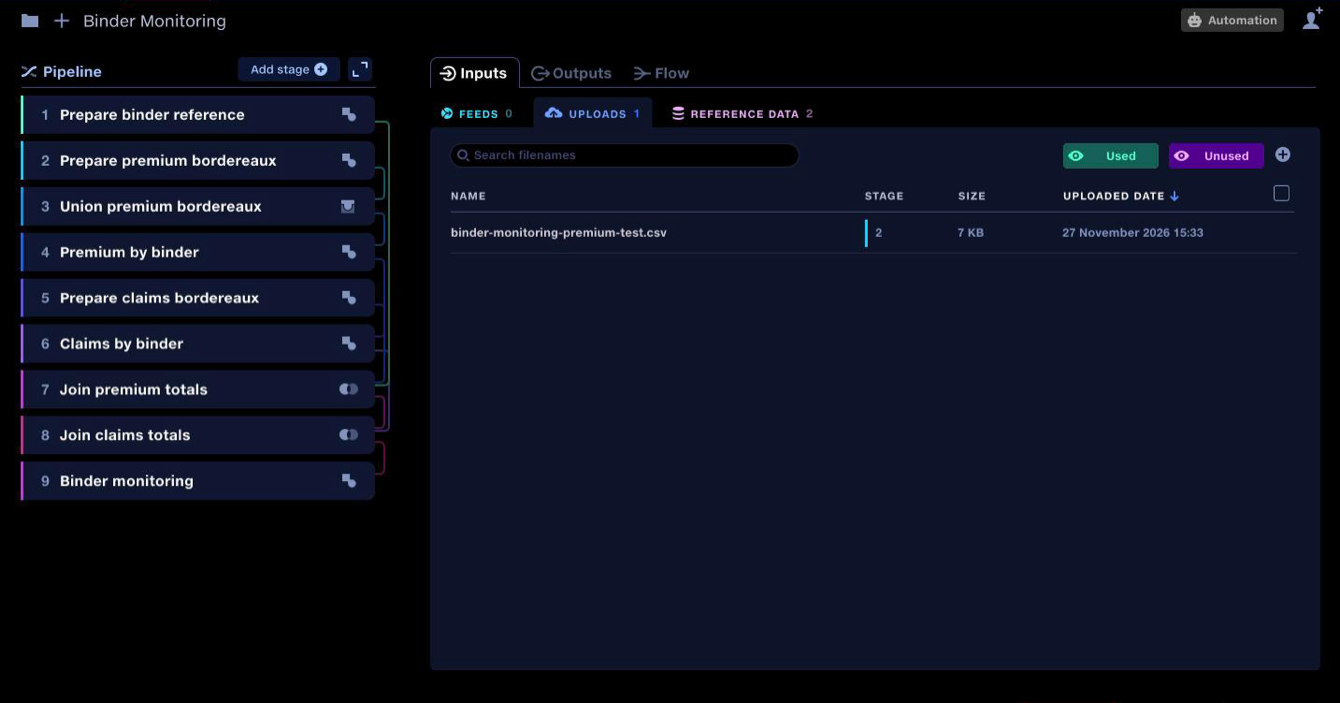
The pipeline
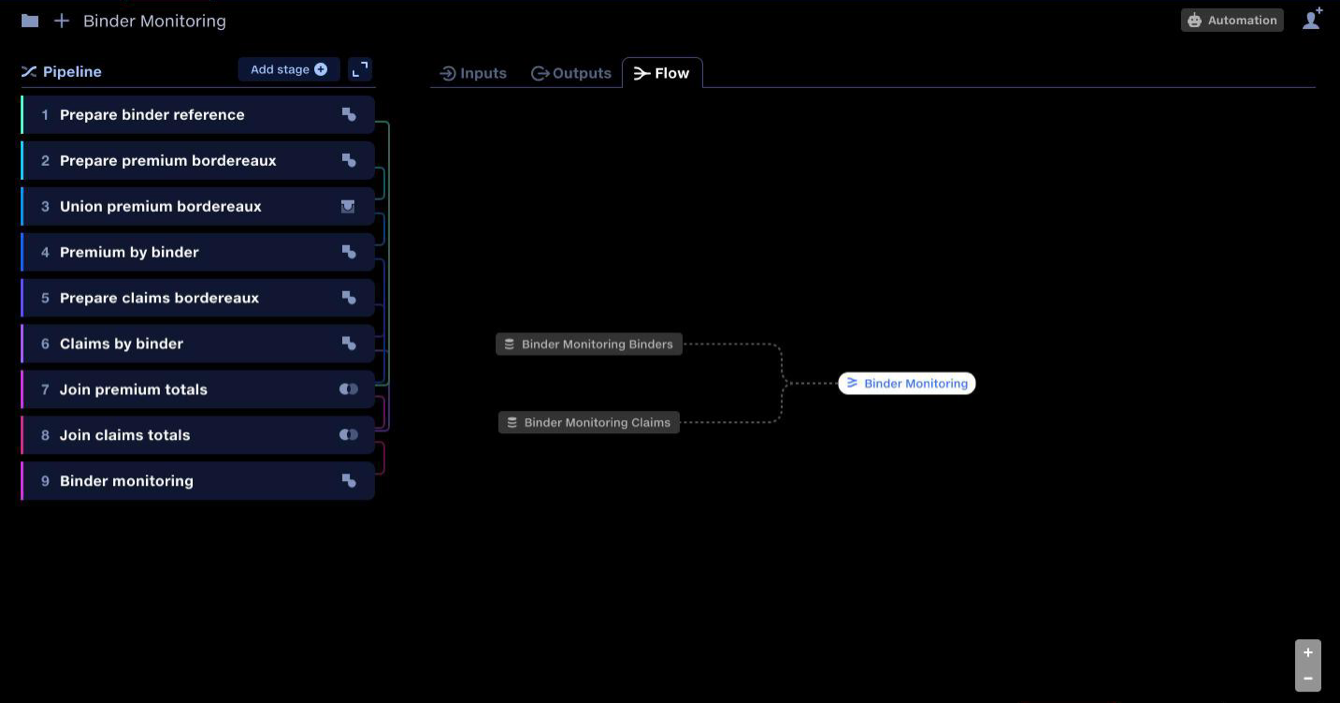
The flow
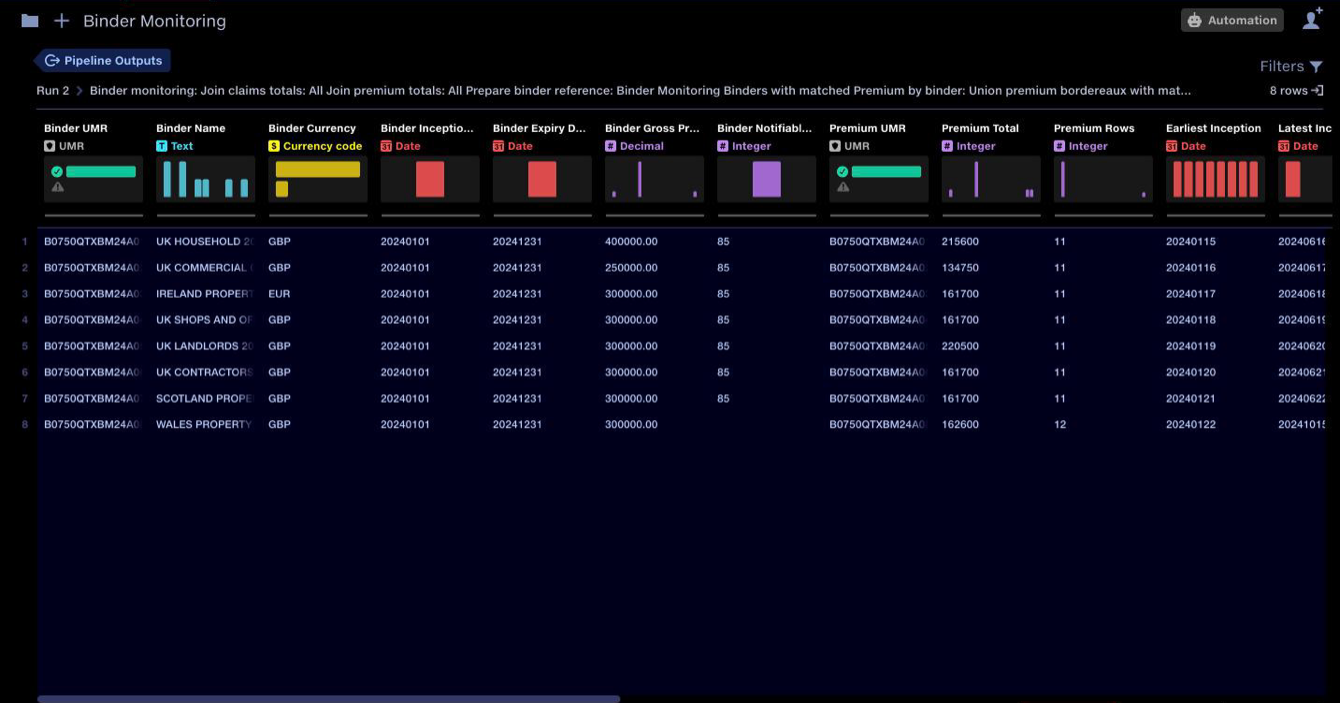
The checked output
What it checks
10 rules 5 Fail 5 Warning
- Binder limitsPremium written against the income limit and notifiable level 1 Fail, 1 Warning 2
- Claims experienceLoss ratio, large claims, and claims with no premium 2 Fail, 2 Warning 4
- Binder periodRisks outside the binder period, renewals due, and missing premium 2 Fail, 2 Warning 4
A rule set to Fail marks its rows as failed, and any failure blocks Auto Export if you set it up. Warnings are only reported. Validation never removes a row. Every check and its threshold is listed in VALIDATIONS.md in the download.
How the pipeline works
- Stage 1 Binder terms Clean each binding authority’s terms
- Stages 2–4 Premium Tidy and stack the premium bordereaux, then total premium by binder
- Stages 5–6 Claims Tidy the latest claims bordereau and total claims by binder
- Stages 7–8 Joins Bring the premium and claims totals onto each binder
- Stage 9 Binder monitoring Work out each binder’s measures and run the 10 checks
What’s in the download
- The 10 checks as JSON, and a table of every check with its formula and threshold
- Binder terms, premium bordereaux (good and with rows built to trip each check) and a claims bordereau
- The measures each binder should show on the test data
- A Claude skill that builds the pipeline and checks the results
- A snapshot of the finished pipeline and the scripts that build it from your browser
Build it
- Unzip the download and copy the folder in
skillsinto~/.claude/skills/. - With Claude in Chrome signed in to Quantemplate, ask Claude Code:
Build the binder monitoring pipeline from the binder-monitoring folder.
- Claude creates the datasets and stages, runs the test data and checks every rule’s result. This takes around 2 minutes.
The agent builds through the Quantemplate app’s own API in your browser. That API isn’t published, so if a release changes it, the build stops and the agent offers to click through the screens instead, which takes much longer. Review what the agent builds before you rely on it.
Using real bordereaux
- Replace the binder terms with your own, keeping the column names. They’re the same columns as the premium bordereaux template’s binder reference.
- Add your premium bordereaux as inputs to stage 2, and your latest claims bordereau to stage 5.
- Adjust the thresholds, such as the 70% loss ratio warning, to suit your binders.
Contact the Quantemplate support team, or use your AI agent, to build custom logic for your use case.
Limits
- Use only the latest claims bordereau. Claims bordereaux report incurred to date, so stacking several periods counts claims more than once.
- Currencies aren’t converted. Premium and claims are taken to be in the binder’s currency.
- Premium or claims on a UMR missing from the binder terms aren’t reported here. The premium bordereaux template’s B00 rule reports those rows.
- The test data is fictional.
- The build doesn’t set up Auto Run, Auto Export or feeds.
- The agent works through the app in your browser, so changes someone makes in the app whilst it’s working can trip it up.